Getting started
New to the game? Your first zoo, step by step, and what everything on the screen does.
▶ Start playing
Online Zoo Builder is free. You can play it right here in your browser, or get the app for Android or iPhone. You build a zoo, fill it with animals, keep them fed and healthy, and make your guests happy so your zoo earns money to grow.
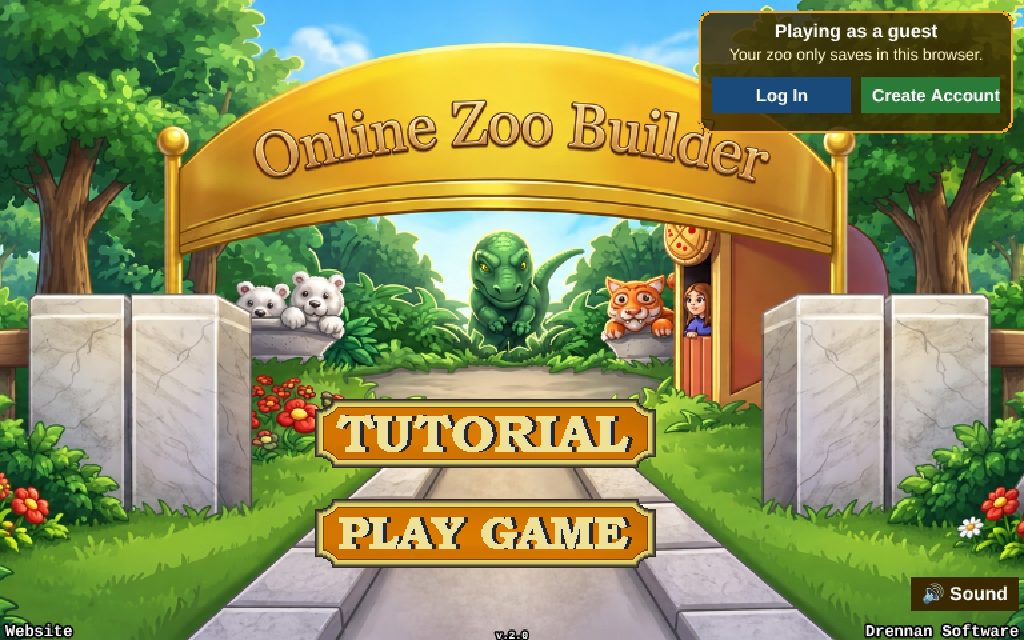
- Tutorial builds a small zoo with you, one step at a time. It's the best place to start.
- Play Game opens your zoos, or starts a new one.
- Log In or Create Account at the top right keeps your zoo safe online, so it comes with you to any computer, phone or tablet.
You can play as a guest without an account. Your zoo then saves in that browser only. You can move it into an account later.
🖱 Your screen
Here is what everything on the screen does while you're in your zoo. Press anything in your zoo, like an animal, a building or a fence, to see what it is, move it or sell it.
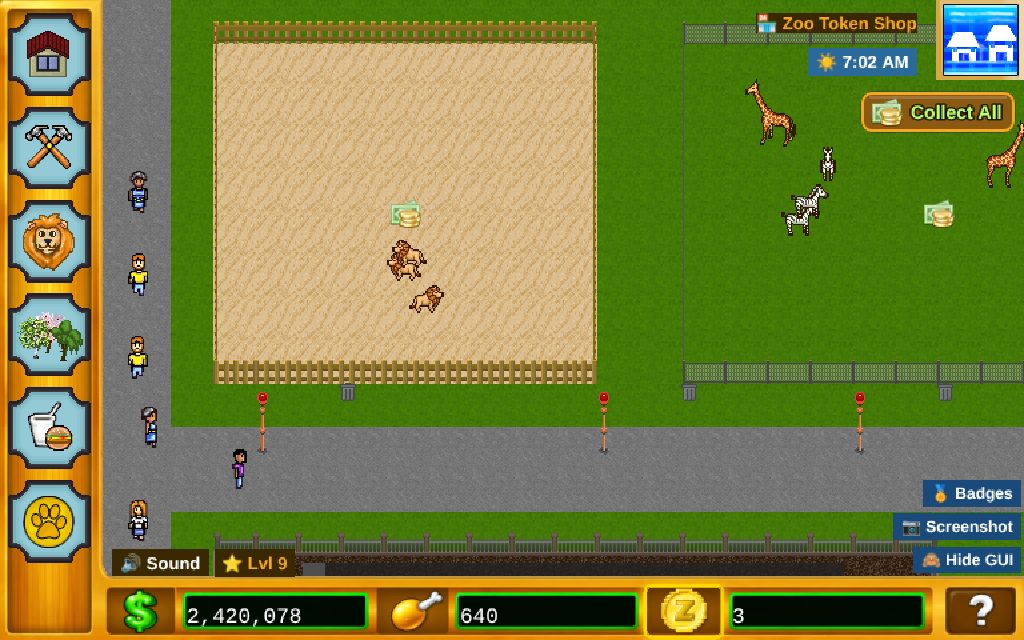
- Buildings: food stands, fun buildings, factories, vets and more.
- Fences: build enclosures for your animals.
- Animals: buy animals and put them in an enclosure.
- Scenery: trees, statues, benches, lamps and toys.
- Zoo Management: your park rating, guests, cleanliness, staff, Collect All, and opening or closing your zoo.
- Missions: three goals at a time, with money, experience and Zoo Tokens as rewards.
- Map editor: paint paths, grass and water.
- Zoo Token Shop: spend Zoo Tokens, or get more.
- Clock and weather: a day in your zoo lasts 24 minutes.
- Collect All: shows up when money is waiting. Press it to grab it all at once.
- Money: what you spend on everything.
- Food: animal food from your factories. Press it to pick up a food bowl.
- Zoo Tokens: a special currency for speeding things up.
- Help: tips about what's happening in your zoo right now.
- Level: your level and your daily gift streak.
- Badges, Screenshot and Hide GUI: your badges, and a picture of your zoo to share.
🏗 Your first zoo, step by step
A new zoo starts with $100,000. Here is a good way to spend it.
-
Build a fence
Press the hammer and pick a fence. Drag across the grass to make it as big as you like, then let go. Cheap fences are fine for small animals. Dinosaurs, King Kong and the Loch Ness Monster need an electric fence. More about building
-
Add animals
Press the lion, pick an animal and press inside your fence. An enclosure holds up to 5 animals. Two of the same kind may have a baby! Be careful putting hunters with smaller animals. See every animal
-
Build a factory and feed your animals
Animals get hungry. A factory (Buildings, Zoo page) makes food: press the drumstick over it to collect it. Then press Food on the bottom bar and press inside an enclosure to put down a food bowl. How to care for animals
-
Lay paths
Guests walk on paths. Use the map editor at the top right to paint paths past your enclosures, so guests can see your animals.
-
Feed and entertain your guests
Hungry, tired guests go home. Build a food stand, a restroom and somewhere to sit, then add fun buildings and scenery beside the paths. How guests work
-
Collect your money
Money signs pop up over enclosures and buildings. Press them, or press Collect All. Waiting money stops growing after 24 hours, so come back to collect it.
-
Check your missions
Press the paw print for three missions. Finishing them gives money, experience and Zoo Tokens. Levels and missions
🎮 Controls
🖱 Computer
- Drag the map to look around, or use the arrow keys or WASD. Hold Shift to move faster.
- The mouse wheel or a trackpad scrolls too. Hold Shift to scroll sideways.
- Click anything to see what it is, move it or sell it.
📱 Phone or tablet
- Drag the map to look around. Flick it to glide, or hold near an edge of the screen.
- When you place something, the first tap shows where it will go: green fits, red doesn't. Tap the same spot again to put it there.
- Turn your phone sideways: the game plays in landscape.
⭐ Good habits
Keep the food coming. A hungry animal gets a thought bubble. If it goes hungry for too long it breaks loose, and you'll have to calm it with a dart.
Green means sick. Build a vet and send sick animals there to get better.
Keep it clean. Litter and long grass make guests unhappy and cut your income. Hire a janitor and a groundskeeper.
Come back every day. The daily gift grows for up to 7 days in a row.
Press the ? at the bottom right whenever you're not sure what to do next.
Your zoo saves by itself, so you can always pick up where you left off.